- PTO Application
- Port User
- Login to Accreditation System
- Navigate to User Profile. Update employee list, office address, billing address and other information
- Navigate to PTO application List. Create New Application
- Generate Application Form, sign and upload Application Form
- Input valid accreditation application No or Accreditation No
- Submit application
- PPA PMO Officer
- Login to Accreditation System
- Validate application and attached document/s
- Update status to For Order Of Payment or Return to Applicant
- Generate Order Of Payment (OOP) if application is in order
- Port User
- Print OOP
- Pay for OOP online or over the counter
- PPA PMO Officer
- Update effectivity and expiry dates
- Set Status to For Approval
- PPA PMO Supervisor (If PMO has Supervisor)
- Validate application and attached document/s
- Set Status to For Approval
- PPA Port Manager
- Set Status to Approved or Disapproved
- PPA PMO Officer
- Generate Permit to Operate
- Set Status to Issued upon claim of Port User
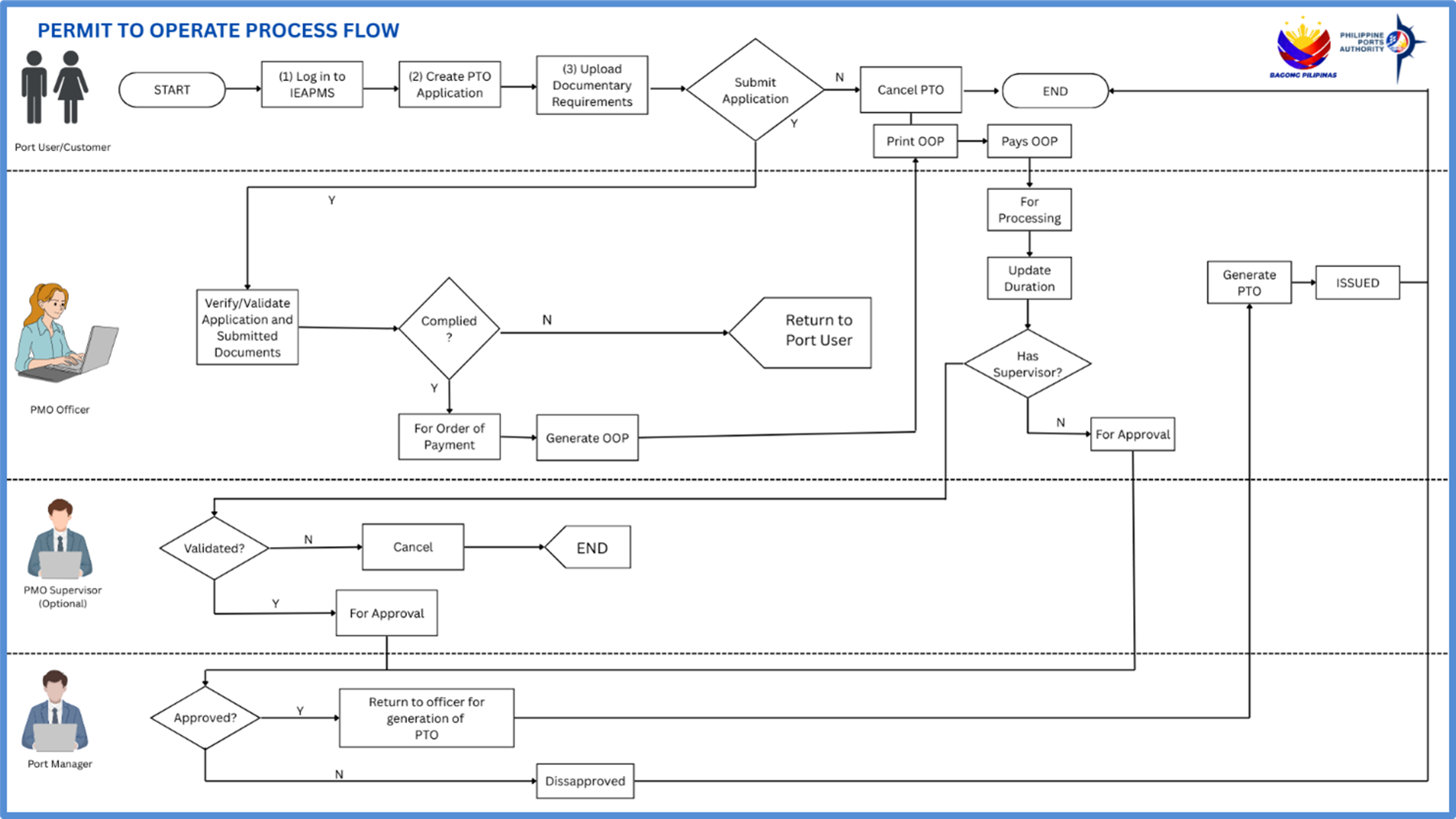
Permit To Operate flowchart
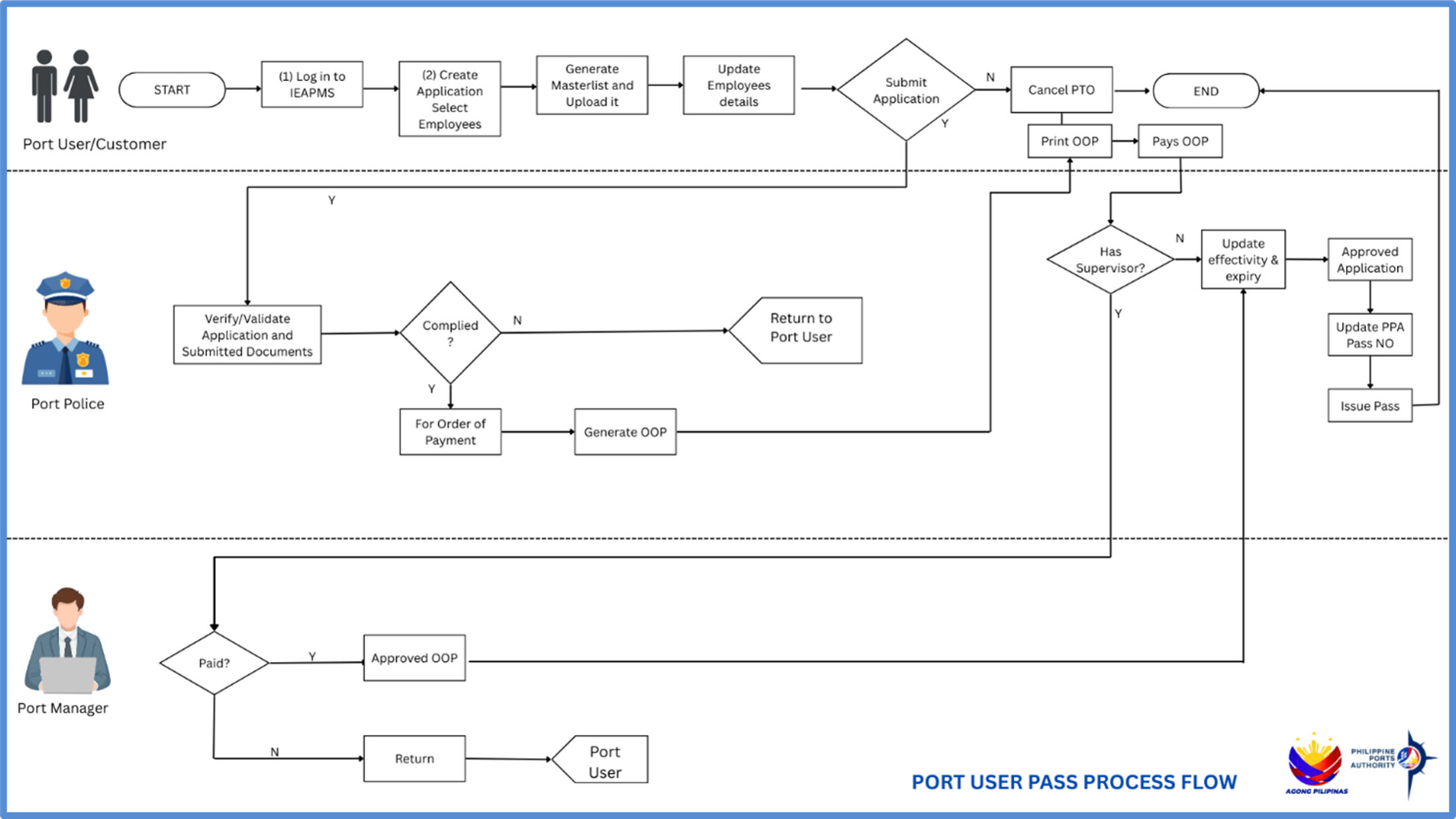
Pedestrian Pass flowchart
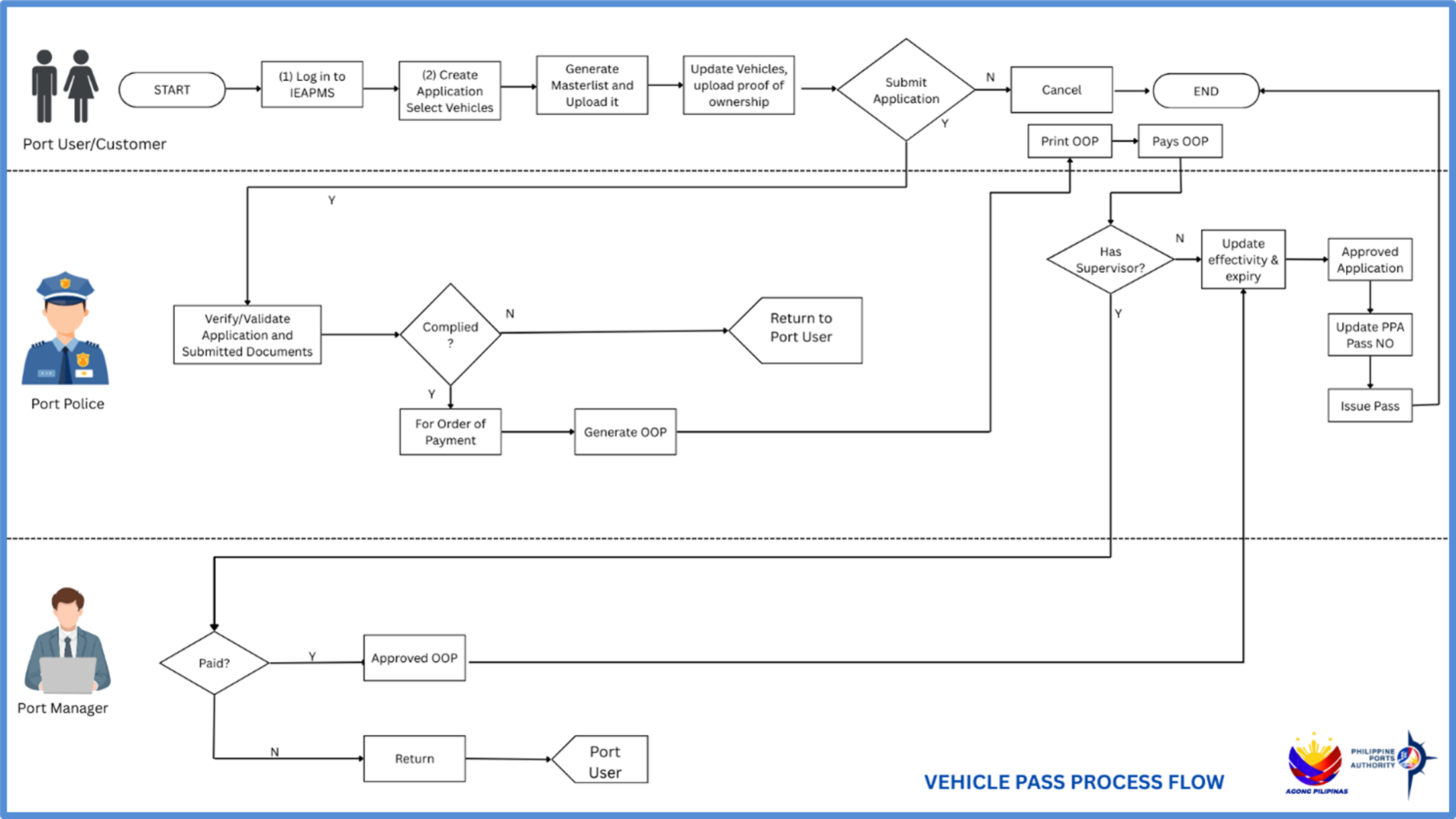
Vehicle Pass flowchart
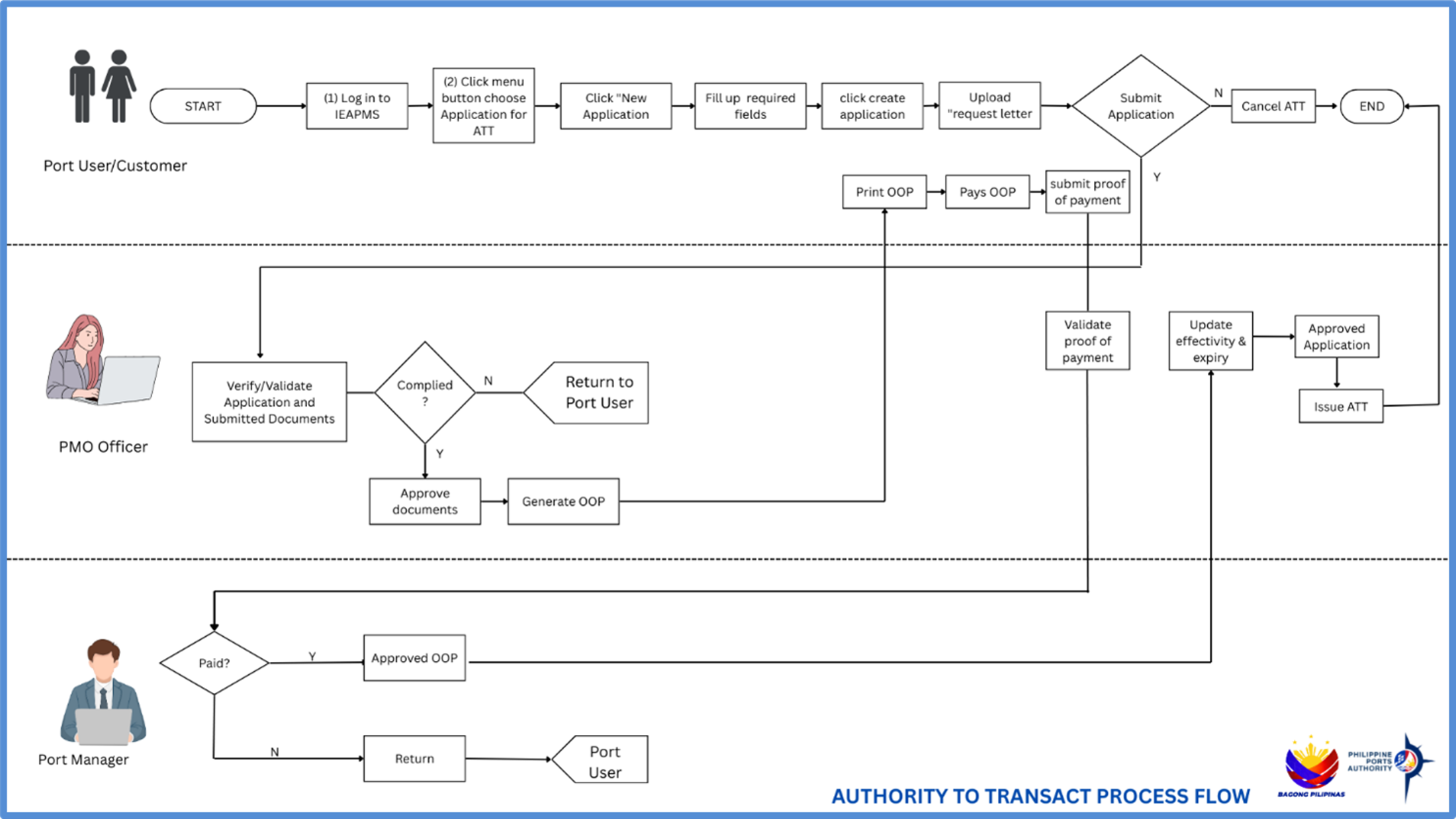
Authority To Transact flowchart
Processes Flowchart